







System requirements
Microsoft Windows 11 Pro
-
Processor
1 Gigahertz (GHz) or faster with 2 or more cores on a
compatible 64-bit processor
or system-on-a-chip (SoC) -
RAM:
4 Gigabytes (GB) -
Storage
64 GB or larger storage device
Please see below for more information
“Further information on storage space to keep Windows 11 up to date. -
System Firmware
UEFI with Secure Boot-capable TPM -
TPM
Trusted Platform Module (TPM) Version 2.0 -
Graphics card
Compatible with DirectX 12 or later with WDDM 2.0 driver display -
Advertisement:
High-resolution screen (720p) with a diagonal measurement of more than 9 inches,
8 Bit pro Farbkanal im Internet -
Internet connection and Microsoft accounts:
Windows 11 Professional Edition requires an internet connection and a Microsoft account.,
To complete the device setup on first use.Das Umschalten eines Geräts aus dem Windows 11 Home-Modus in den S-Modus
also requires an internet connection.Internet access is required for all Windows 11 editions to receive updates
to carry out and download and use some functions.
A Microsoft account is required for some features.
Over time, additional requirements for updates, as well as requirements for activating certain functions within the operating system, may arise.
For some features in Windows 11 Professional, there are increased requirements beyond those listed in the Minimum Requirements section above. Below are some additional details on the requirements for important features:
- 5G support requires a 5G-enabled modem.
- Auto HDR Requires an HDR monitor.
- BitLocker to Go requires a USB flash drive (available in Windows Pro and higher editions).
- Hyper-V Customer erfordert einen Prozessor mit SLAT-Fähigkeiten (Second-Level Address Translation) (verfügbar in Windows Pro und höheren Editionen).
- Cortana requires a microphone and speaker and is currently available on Windows 11 for Australia, Brazil, Canada, China, France, Germany, India, Italy, Japan, Mexico, Spain, the United Kingdom and the United States.
- Direct storage requires an NVMe SSD to store and run games that use the “Standard NVM Express Controller” driver, and a DirectX 12 GPU with Shader Model 6.0 support.
- DirectX 12 Ultimate is available with supported games and graphics chips.
- Presence requires a sensor that can detect the person's distance to the device or their intent to interact with the device.
- Intelligent Video Conferencing requires a video camera, a microphone, and a speaker (audio output).
- Multiple Voice Assistant (MVA) Requires a microphone and a speaker.
- Snap For three-column layouts, a screen with an effective width of 1920 pixels or more is required.
- Mute/Unmute from the taskbar erfordert eine Videokamera, ein Mikrofon und einen Lautsprecher (Audioausgang). Die App muss mit dieser Funktion kompatibel sein, um die globale Stummschaltung zu aktivieren.
- Spatial audio requires supporting hardware and software.
- Teams erfordern Videokamera, Mikrofon und Lautsprecher (Audioausgang).
- Touch requires a screen or monitor that supports multi-touch.
- Two-factor authentication requires the use of a PIN, biometric data (fingerprint reader or illuminated infrared camera), or a phone with Wi-Fi or Bluetooth capabilities.
- Voice input requires a PC with a microphone.
- Wake on Voice requires a Modern Standby Power Model and a microphone.
- Wi-Fi 6E requires new WLAN IHV hardware and drivers, as well as a Wi-Fi 6E-capable AP/router.
- Windows Hello Requires a camera configured for Near-Infrared (IR) imaging, or a fingerprint reader for biometric authentication. Devices without biometric sensors can use Windows Hello with a PIN or a portable Microsoft-compatible security key.
- Window Projection requires a display adapter that supports Windows Display Driver Model (WDDM) 2.0 and a Wi-Fi adapter that supports Wi-Fi Direct.
- Xbox (App) Requires an Xbox Live account, which is not available in all regions. See the latest availability information under Xbox Live countries and regions. Some features in the Xbox app require an active Xbox Game Pass subscription. Learn more about the Pass.
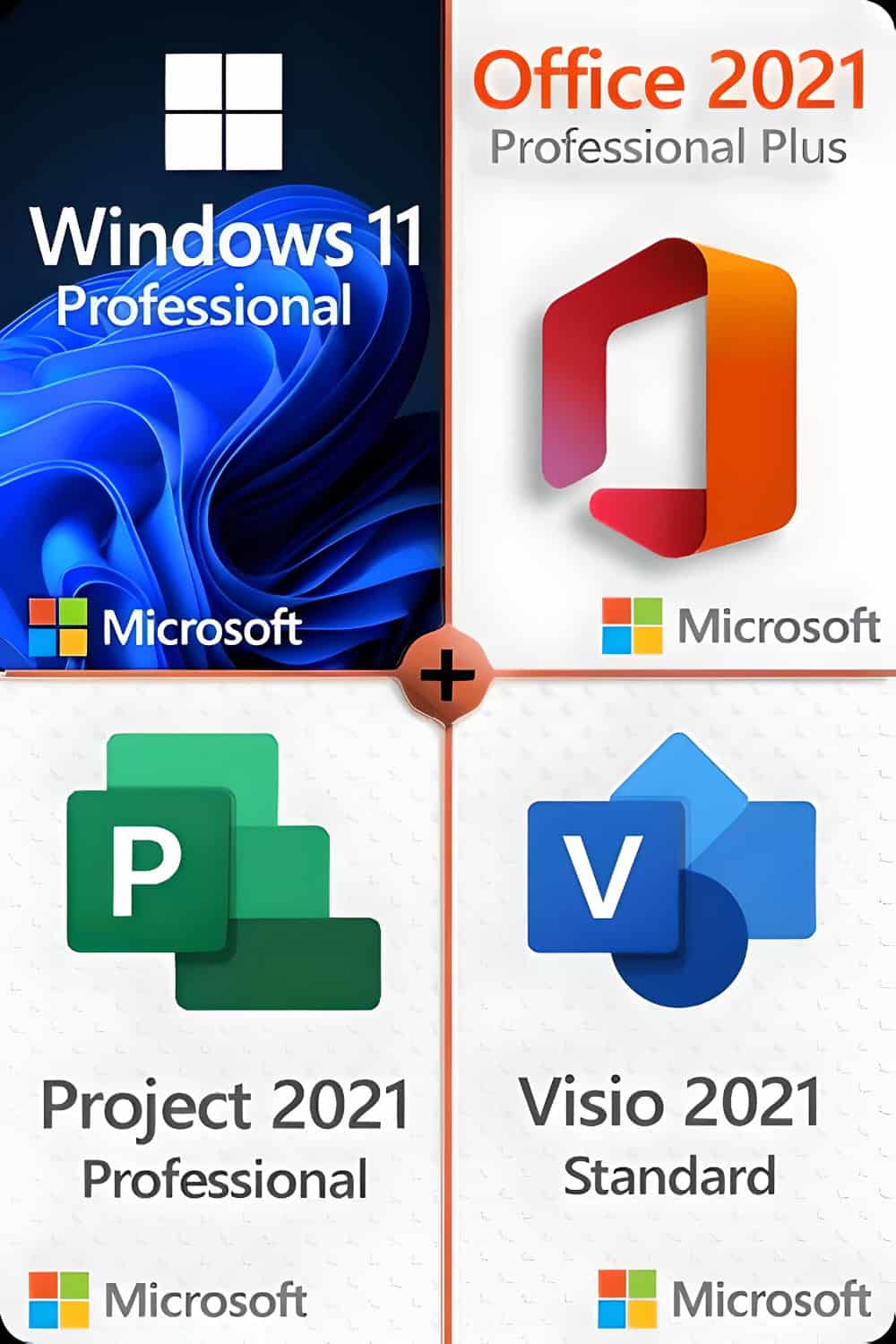
Microsoft Project 2021 Professional
Die leistungsstarke Microsoft Project Professional 2021 Edition bietet erweiterte Funktionen und neue Schnittstellen zu MS SharePoint, Project Server und Skype. Die Software nutzt die zahlreichen Vorteile des Betriebssystems Windows 10 oder 11 voll aus, wird aber auf älteren Windows-Versionen nicht unterstützt. MS Project Professional 2021 richtet sich in erster Linie an Projektmanager in Unternehmen, die ihre individuellen Projekte planen, verwalten, dokumentieren und später auswerten.
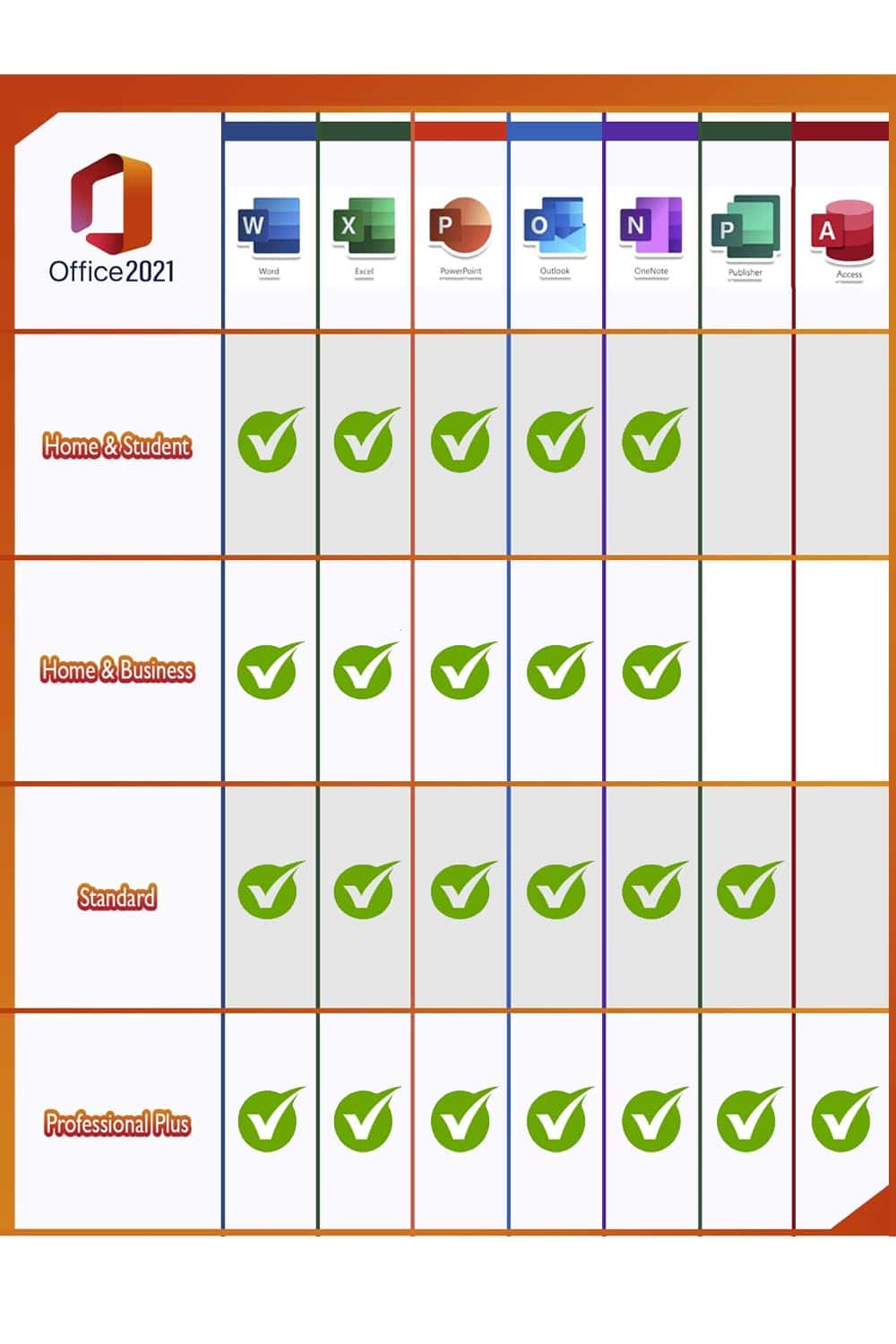
Microsoft Office-Anwender, die zu Hause oder im Büro die volle Bandbreite an Anwendungen nutzen, sind mit der Microsoft Office 2021 Professional Plus Edition gut beraten. Alle wichtigen Programme sind enthalten: Word, Excel, Outlook, PowerPoint, Publisher und Access. Um schnell Notizen zu machen und diese über die Cloud auf allen Geräten verfügbar zu machen, steht OneNote ab sofort im Windows Store zum Download bereit. Die Professional Plus Version richtet sich aufgrund der Vielzahl an unterschiedlichen Programmen vor allem an Personen, die zu Hause oder im Home Office arbeiten oder im Büro eine leistungsstarke und zuverlässige Lösung zur Organisation von Dokumenten, Tabellen etc. suchen.
- Microsoft WordCreate professional-quality text documents in the blink of an eye.
- Microsoft ExcelIntelligent spreadsheets for information management.
- Microsoft PowerPoint: Create impressive dynamic presentations.
- Microsoft OneNoteYour digital notebook.
- Microsoft OutlookCommunication made easy.
- Microsoft Publisher: Layout-Erstellung für professionelle Publikationen.
- Microsoft Access: Datenbankprogrammierung für browserbasierte Anwendungen.
- Microsoft Teams: Mehr Produktivität durch Instant Messaging und HD-Videokonferenzen.
HINWEIS: Aufgrund einer Untersuchung der Europäischen Kommission, bündelt Microsoft keine Teams-Lizenz mehr mit Office-Produkten. Sie können Teams herunterladen, um es mit einer kostenlosen oder kostenpflichtigen Lizenz zu verwenden (separat zu erwerben), je nach Bedarf.
Microsoft Visio 2021 Standard
Microsoft Visio Standard 2021 ist die neueste Generation der beliebten Microsoft-Software zur Erstellung und Bearbeitung von Diagrammen und Visualisierungen. Visio Standard ist besonders für Unternehmen geeignet, da mehrere Benutzer in einem Team oder einer Abteilung gleichzeitig an den Diagrammen arbeiten können. Es stehen viele Schnittstellen zur Verfügung, um die fertigen Visualisierungen sowohl intern als auch extern mit ausgewählten Personen zu teilen. Microsoft hat intensiv an den Vorlagen und Shapes gearbeitet, die in Visio ständig zum Einsatz kommen. Auch die Stile der Diagramme wurden verbessert, um sie visuell eindrucksvoller zu gestalten und gleichzeitig die Lesbarkeit der Diagramme zu verbessern. Mit Microsoft Visio Standard 2021 erhalten Sie außerdem die Möglichkeit, Daten in Echtzeit in eine bestehende Visualisierung einzuspeisen.